
This content is for informational purposes only and is not a substitute for professional advice.
Dose logging is how you tell Unfair what you actually took, when you took it, and how much. Good logs make your Journal easier to trust and make reminder and review features more useful.
Where you can log
You can log a supplement from the Library search results, from a supplement detail screen, and from a stack detail screen.
In the Library, the main action is `Log Dose`. For a single supplement in search results, that button is the fastest path. It uses the app's current dose snapshot for that supplement and logs it right away.
On a supplement detail screen, the `Log Dose` button opens manual entry. That is the place to set the time yourself, change the amount or unit, and add notes or side effects.
On a stack detail screen, the `Log Dose` button handles the whole stack. If Unfair already has a recent dose for every supplement in that stack, the app can log the stack in one step. If one or more supplements do not have a recent saved dose, Unfair opens a stack entry sheet so you can enter each amount before saving.
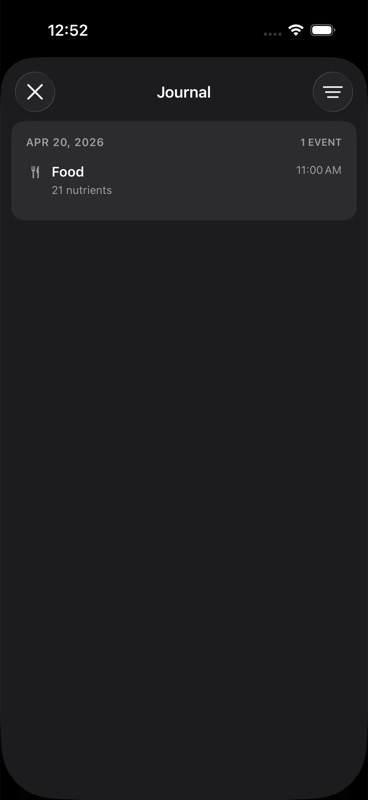
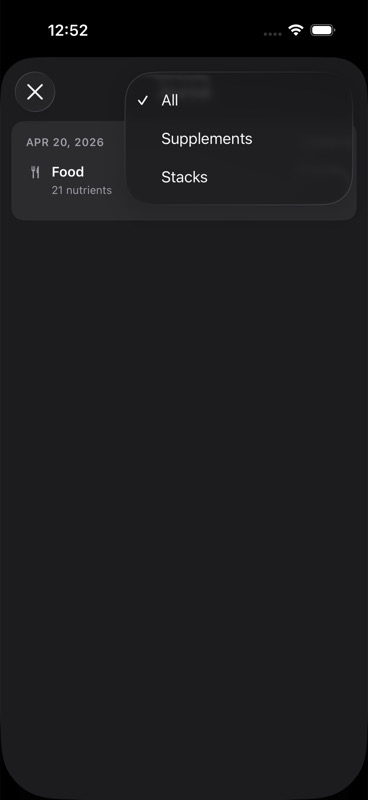
The Journal is where you review what was logged. It is also where you can remove entries you do not want to keep.
One tap logging and manual entry
One tap logging is meant for repeatable, known doses. The app logs the dose at the current time using the supplement's default dose or the most recent valid dose and unit it has for that supplement. This is why one tap works best after you have logged the supplement at least once with the amount you actually use.
Manual entry is for everything one tap cannot infer safely. In the manual sheet, you can choose the time, enter the amount, pick the unit, and add notes or side effects. For single supplements, the available units are `mg`, `mcg`, `g`, `ml`, and `IU`. Stack entry uses the same unit set, with one amount and one unit for each supplement in the stack.
Manual entry is also how you backfill a dose from earlier in the day or correct the amount before it is saved.
What Unfair stores for each log
Every saved dose event includes a timestamp, supplement name, dose value, dose unit, and route. When the log came from a known supplement in your library, the event also keeps the supplement ID. Stack logs also keep the stack ID, stack name, and a shared stack event ID so the Journal can show those entries together.
Manual entry can also store notes and side effects. One tap logging does not add those extra fields.
Unfair remembers the most recent valid dose and unit for each supplement name. That saved default is what lets future one tap logs and stack logs use the amount you most recently logged instead of falling back to a generic guess.
How HealthKit writes work
Unfair saves dose events to its own journal store first. After that, it asks HealthKit for permission if needed and tries to write the dose to Apple Health.
The route depends on the supplement. If Unfair can map the supplement to a HealthKit nutrition quantity, it writes the dose through the nutrition path. If there is no nutrition mapping, the dose uses the medication path instead. See nutrition route, medication route, HealthKit nutrition write, and HealthKit medication write for the details behind those two paths.
Local fallback and what happens if HealthKit fails
Your log does not depend on a successful HealthKit write to appear in Unfair. The app saves the event in its local journal first, then attempts the HealthKit write.
That means a failed or unavailable HealthKit write does not erase the entry from your Journal. You can still review it inside Unfair.
For medication-route supplements, Unfair also keeps a local fallback record because direct app writes for medication dose events are not broadly available in the way nutrition quantity writes are. On newer iOS versions, Unfair can read medication dose events when HealthKit has them, then reconcile those reads with the local fallback so your history stays visible.
Keeping your logs useful
Use the same unit each time for the same supplement unless the product itself changed. A clean run of `mg` entries is easier to review than a mix of `mg`, `g`, and guesswork.
Log at the time you actually took the supplement when that timing matters. If you are entering it later, manual entry is better than one tap because you can set the real timestamp.
Keep notes short and specific. A note like "took after breakfast" or a side effect note like "mild nausea" is easier to scan later than a long diary entry.
Remove mistakes from the Journal once you notice them. Journal rows support a `Remove` action, and cleaning up duplicates or bad amounts early keeps your history easier to read.
If your log history shows that your real routine no longer matches the planned dose or cycle, update the plan itself in Adjusting Doses and Cycles instead of letting the mismatch linger.