
Experiment Data Sharing is optional and off by default. When you turn it on, Unfair sends de-identified experiment snapshots so broader supplement patterns can be studied without attaching that data to your name or account identity.
Turn sharing on
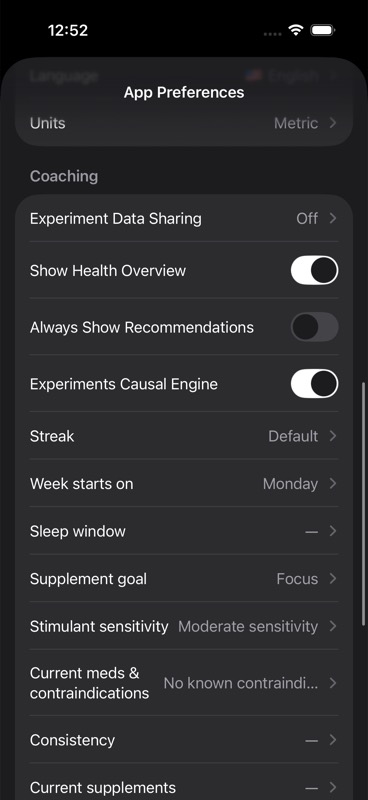
Open the You tab, tap `App Preferences`, then look under `Coaching` for `Experiment Data Sharing`.
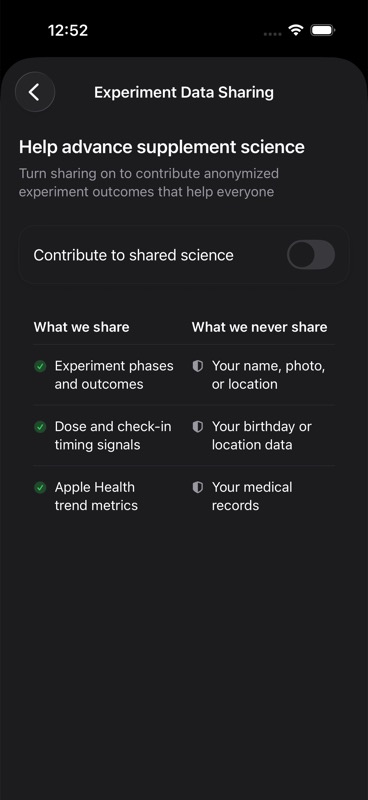
Select `Experiment Data Sharing`, then turn on `Contribute to shared science`.
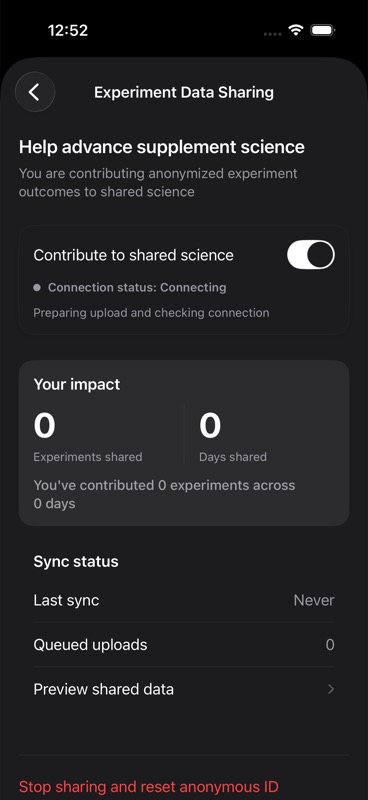
After you enable it, the same screen will show sharing status and sync details.
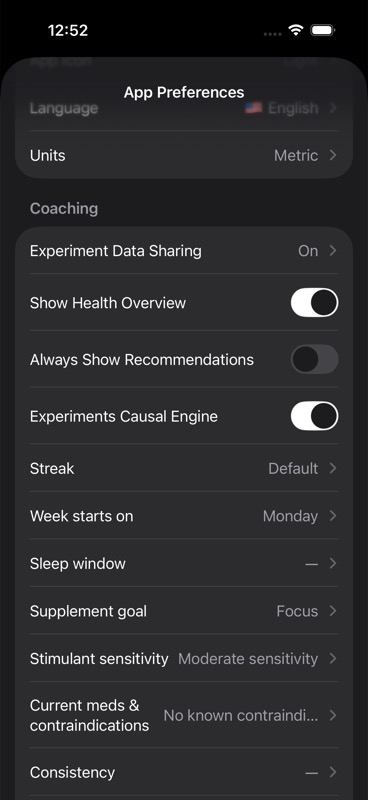
If you go back to `App Preferences`, the row changes from `Off` to `On`.
Check sharing status
Use the Experiment Data Sharing screen to confirm connection status, experiments shared, days shared, last sync time, and queued uploads.
On a fresh install with no shared history yet, the enabled screen may show `Connecting`, `0` experiments shared, `0` days shared, `Queued uploads 0`, and `Last sync Never`. That is expected until the app has experiment data to contribute and a sync completes.
If queued uploads are greater than zero, Unfair is waiting to send pending snapshots when network conditions allow.
Preview what is shared
Select `Preview shared data` to inspect the payload shape before upload.
This view is intended to make shared fields transparent before they are sent.
Turn sharing off and reset anonymous ID
Select `Stop sharing and reset anonymous ID` to disable future uploads and create a new anonymous sharing identity.
After reset, any future participation uses the new anonymous ID.
What is included and excluded
Included data can contain anonymized experiment structure, outcomes, dose and check-in timing quality, and Apple Health trend context used for experiment interpretation.
Excluded data includes direct identifiers such as name, email, profile photo, and exact birth date.
If sync looks stuck
If connection is offline or queued uploads do not clear, reopen the app and verify network status first.
If the issue persists, continue with Troubleshooting and review Privacy and Data.